Can You Listen to Vinyl with Headphones? A Complete Guide to Wired and Bluetooth Listening
Introduction
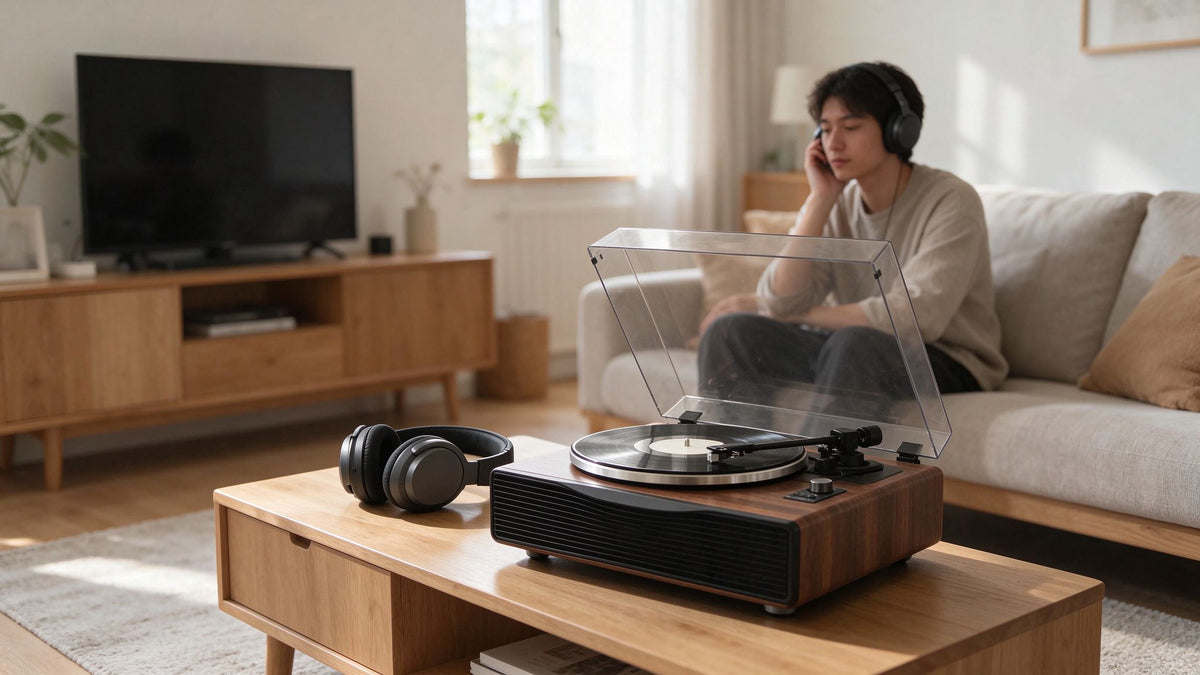
There is something special about listening to vinyl with headphones. You can enjoy the warmth and character of your favorite records, pick up subtle details in the music, and become more immersed in every track. Without speakers filling the room, the listening experience feels more personal — almost as if the music is playing just for you.
If you're new to vinyl, however, you may have a few questions. Can you connect headphones directly to a turntable? Do you need a headphone amplifier? Can you use Bluetooth headphones with a record player? And does wireless listening affect sound quality?
The good news is that you can listen to vinyl through both wired and Bluetooth headphones. The setup you need depends on your turntable's audio outputs and the type of headphones you want to use.
Some turntables have a built-in headphone jack, allowing you to connect wired headphones directly. Others feature Bluetooth audio output, which lets you pair compatible wireless headphones without running a cable across your room. Traditional turntables may require an external headphone amplifier or another audio component to make headphone listening possible.
It's important to check your turntable's connections before choosing your headphones. For example, a Bluetooth input allows a turntable to receive audio from a phone or another device, while Bluetooth output sends record playback to wireless headphones or speakers. These are two different functions, and not every Bluetooth turntable supports both.
In this guide, we'll walk you through the different ways to connect headphones to a turntable, explain what equipment you may need, and help you choose a setup that suits your listening habits. Whether you're building your first vinyl system or improving an existing turntable setup, understanding your connection options can help you get more from your records.
1. Can You Listen to Vinyl with Headphones?
Yes. You can listen to vinyl records through headphones, just as you would through a pair of speakers. The main difference is how the audio signal travels from your turntable to your headphones.
When a record plays, the stylus follows the grooves of the vinyl and converts their physical movement into a small electrical audio signal. Before this signal can be used by most audio systems, it needs the appropriate processing and amplification.
This is why you can't connect headphones directly to every turntable.
Why Can't Every Turntable Connect Directly to Headphones?
Most traditional turntables produce a low-level phono signal. This signal is too weak to drive headphones directly and usually needs additional processing and amplification.
A typical wired headphone setup may require two functions:
-
Phono preamplification: Raises the cartridge's low-level phono signal to standard LINE level and applies the required RIAA equalization.
-
Headphone amplification: Provides the voltage and current needed to drive headphones at a suitable listening level.
These functions serve different purposes, although some audio components combine them.
A phono preamp prepares the turntable's signal for a standard audio system. A headphone amplifier then provides the power needed to drive the headphones. Some turntables and audio systems include a dedicated headphone output, so you won't necessarily need a separate amplifier.
For example, if your turntable has RCA outputs but no headphone jack, you can connect it to a compatible headphone amplifier. However, you first need to check whether the RCA connection provides a PHONO-level or LINE-level signal.
The signal path for a turntable without a built-in phono preamp typically looks like this:
Turntable (PHONO Output) → Phono Preamp → Headphone Amplifier → Wired Headphones
If your turntable has a built-in phono preamp and is set to LINE output, the connection is simpler:
Turntable (LINE Output) → Headphone Amplifier → Wired Headphones
Some turntables also include a dedicated headphone jack, allowing you to connect wired headphones directly without a separate headphone amplifier.
The key is to match your turntable's output with the input and capabilities of the equipment you're connecting.
When Does Headphone Listening Make Sense?
Headphones are particularly useful when traditional speakers aren't practical or when you simply prefer a more personal listening experience.
Apartment Living
If you live in an apartment or share walls with neighbors, headphones let you enjoy your records without sending music throughout the room.
You can listen to a full album in the evening without worrying as much about disturbing other people.
Late-Night Listening
Some people enjoy playing records early in the morning or late at night, when the rest of the household is quiet.
Headphones make it possible to maintain that listening routine without turning up the speakers or disturbing anyone nearby.
Focused Listening
Headphones can help you notice individual instruments, background vocals, subtle percussion, and other details in a recording.
They also reduce the influence of room acoustics on what you hear, allowing you to focus more directly on the music. However, the sound you experience will still depend on the headphones, recording, and playback equipment.
Small Listening Spaces
Not every home has room for a dedicated stereo system.
A turntable and a good pair of headphones can create a comfortable listening setup without requiring two speakers, stands, and additional furniture.
The best setup isn't necessarily the biggest or most complicated one. It's the one that fits naturally into your home and the way you enjoy music.
2. Wired vs. Bluetooth Headphones for Vinyl: What's the Difference?
One of the first decisions you'll make when choosing headphones for vinyl listening is whether to go wired or wireless.
Both options can work well with a turntable, but they offer different advantages in sound transmission, convenience, equipment requirements, and everyday use.
The right choice depends on your listening preferences, the headphones you already own, and the audio connections available on your turntable.
Wired Headphones: A Traditional Listening Experience
Wired headphones connect to an audio device through a physical cable, commonly using a 3.5mm or 6.35mm connector.
Because the audio signal travels through a cable rather than a Bluetooth connection, there is no Bluetooth transmission or wireless codec processing involved.
This makes wired headphones a popular choice for listeners who prefer a straightforward audio connection and want to avoid wireless pairing.
Advantages of wired headphones:
-
No Bluetooth pairing or wireless battery charging is needed for passive wired headphones.
-
No Bluetooth transmission latency.
-
Direct compatibility with suitable headphone outputs and amplifiers.
-
A wide selection of headphones across different price points.
-
A practical option for stationary listening and dedicated audio setups.
Potential disadvantages:
-
A physical cable connects you to your audio equipment.
-
You may need a separate headphone amplifier if your turntable doesn't have a suitable headphone output.
-
Cable length and placement can affect convenience.
-
Some modern wireless headphones offer limited wired connectivity or require power even when used with a cable.
Wired headphones are particularly appealing if you already own a headphone amplifier or enjoy listening from a fixed position near your turntable.
Bluetooth Headphones: More Freedom Around the Home
Bluetooth headphones receive audio wirelessly from a compatible transmitting device.
However, there's one important detail: your turntable must support Bluetooth audio output to send record playback to wireless headphones.
Not every turntable with Bluetooth has this capability.
Some record players support Bluetooth input, allowing you to stream music from a phone or tablet through their speakers. Others support Bluetooth output, which transmits audio from a vinyl record to compatible wireless headphones or speakers.
These are two different functions.
If you want to listen to vinyl through Bluetooth headphones, look specifically for a turntable with Bluetooth audio transmission. A Bluetooth input alone isn't enough.
Advantages of Bluetooth headphones:
-
No headphone cable running across your listening area.
-
More freedom to move around the room.
-
Convenient for modern home listening.
-
Easy integration with compatible wireless audio equipment.
-
A practical option if you already own Bluetooth headphones.
Potential disadvantages:
-
Your turntable must support Bluetooth audio output.
-
Headphones need battery power.
-
Bluetooth audio requires encoding and decoding, which may involve compression depending on the codec.
-
Audio latency can occur, depending on the transmitting device, headphones, and supported codecs.
-
Wireless pairing can occasionally require troubleshooting.
Bluetooth is especially convenient if you prefer a clean, uncluttered listening space. Keep in mind that wireless transmission changes the original analog signal into digital audio for Bluetooth playback. The final sound depends on the codec, device compatibility, headphones, and overall audio implementation.
Wired vs. Bluetooth: Quick Comparison
| Feature | Wired Headphones | Bluetooth Headphones |
|---|---|---|
| Connection | Physical audio cable | Wireless Bluetooth |
| Battery | Not required for passive headphones | Required |
| Pairing | No | Yes |
| Audio latency | No Bluetooth transmission latency | Depends on devices and codecs |
| Audio transmission | Wired analog or digital connection | Digital wireless transmission |
| Equipment | Suitable headphone output or amplifier | Turntable with Bluetooth audio output |
| Mobility | Limited by cable | Greater freedom |
| Best for | Stationary, traditional listening | Convenient everyday listening |
Neither option is automatically better for every listener.
If you prefer a straightforward wired connection and don't mind a cable, wired headphones are a practical choice.
If convenience and flexibility matter more, Bluetooth headphones may be a better fit.
Which Type Should Beginners Choose?
If you're buying your first turntable, start by thinking about the headphones and audio equipment you already own.
If you have Bluetooth headphones: Look for a turntable with Bluetooth audio output. This can make wireless listening simple without requiring a separate headphone amplifier or additional audio cables.
If you already own wired headphones: Check whether your turntable includes a dedicated headphone output. If it doesn't, you may need a compatible headphone amplifier and, depending on the turntable's output, a phono preamp.
If you want both options: Consider a turntable that supports the type of connections you expect to use. Having the right outputs can make it easier to switch between private headphone listening and a speaker setup.
You don't need an expensive audio system to enjoy vinyl privately. You simply need compatible equipment and a connection that suits your listening habits.
3. How to Connect Wired Headphones to a Turntable
Wired headphones can work with almost any turntable, provided you have the right audio connections and amplification.
The exact setup depends on your turntable's available outputs. Some record players have a dedicated headphone jack, while others provide RCA outputs that require an external headphone amplifier.
You'll also need to check whether your turntable has a built-in phono preamp or produces a phono-level signal.
Here are three common ways to connect wired headphones to a turntable.
Option 1: Use a Turntable with a Built-In Headphone Output
This is the simplest option.
Some record players include a dedicated 3.5mm or 6.35mm headphone jack. If yours has one, you can usually connect compatible wired headphones directly without purchasing a separate headphone amplifier.
The connection looks like this:
Turntable → Headphones
Follow these steps:
-
Check your turntable's manual to locate the headphone output.
-
Turn the headphone volume down before connecting.
-
Insert the headphone plug into the headphone jack.
-
Start playing a record.
-
Gradually increase the volume to a comfortable listening level.
Check your product manual to confirm whether the headphone jack has independent volume control and whether the built-in speakers are muted automatically when headphones are connected.
This type of setup is convenient because the turntable already includes the necessary headphone amplification.
However, a dedicated headphone jack is not a standard feature on every turntable.
Option 2: Use an External Headphone Amplifier
If your turntable has RCA outputs but no headphone jack, an external headphone amplifier is a practical solution.
A headphone amplifier receives an appropriate audio signal and provides the power needed to drive your headphones.
However, before connecting the equipment, you need to identify whether your turntable's RCA output is set to PHONO or LINE.
If your turntable has a built-in phono preamp:
Select LINE output and connect the RCA cables to a compatible LINE or AUX input on your headphone amplifier.
The signal path looks like this:
Turntable (LINE Output) → RCA Cable → Headphone Amplifier → Wired Headphones
Follow these steps:
-
Check whether your turntable has a built-in phono preamp.
-
If it does, select LINE output.
-
Connect the turntable's RCA outputs to the corresponding LINE inputs on the headphone amplifier.
-
Connect your headphones to the amplifier's headphone jack.
-
Start playback at a low volume.
-
Gradually adjust the volume to your preferred listening level.
If your turntable does not have a built-in phono preamp:
You'll need an external phono preamp before the headphone amplifier, unless your headphone amplifier already includes a compatible phono stage.
The signal path becomes:
Turntable (PHONO Output) → Phono Preamp → Headphone Amplifier → Wired Headphones
The phono preamp converts the low-level cartridge signal into a standard LINE-level signal and applies the required RIAA equalization. The headphone amplifier then provides the power needed to drive your headphones.
Always check the input specifications of your equipment before making connections. A PHONO output should not be connected directly to a standard LINE input unless the receiving device specifically supports a phono-level signal.

Option 3: Use an Integrated Amplifier with a Headphone Jack
If you already own an integrated amplifier or stereo receiver, check whether it has a headphone output.
Many home audio amplifiers include a 3.5mm or 6.35mm headphone jack on the front panel. If yours does, you may already have everything you need for wired headphone listening.
The connection depends on the phono stage available in your system.
If your turntable has a built-in phono preamp:
Turntable (LINE Output) → Integrated Amplifier (LINE/AUX Input) → Headphones
If your integrated amplifier has a built-in phono stage:
Turntable (PHONO Output) → Integrated Amplifier (PHONO Input) → Headphones
In either case, the integrated amplifier handles the necessary audio processing and provides headphone amplification.
This can be a convenient choice if you already use the amplifier with a pair of speakers. You won't necessarily need to purchase another dedicated headphone amplifier.
What If Your Headphones Have a 6.35mm Plug?
Some over-ear headphones use a larger 6.35mm (1/4-inch) plug rather than the smaller 3.5mm connector commonly found on portable audio devices.
If your headphones and audio equipment use different connector sizes, you may need a compatible adapter.
For example, a 3.5mm-to-6.35mm stereo adapter can connect headphones with a 3.5mm plug to an amplifier with a 6.35mm headphone jack.
Keep in mind that a connector adapter only changes the physical plug size. It does not provide additional amplification or convert an incompatible audio signal into a suitable one.
Before purchasing an adapter, check that it supports the correct stereo connection and fits your headphone and audio equipment.
This is a small but important detail that can save you from buying unnecessary equipment.
4. How to Connect Bluetooth Headphones to a Turntable
Bluetooth headphones are a convenient option for modern vinyl listening.
They let you enjoy your records without running a headphone cable across your listening area, making them especially useful for apartments, shared living spaces, and relaxed listening around the home.
However, there's one important requirement: your turntable must support Bluetooth audio output. A Bluetooth input alone won't allow you to send vinyl playback to wireless headphones.
If your turntable supports Bluetooth transmission, follow these steps to connect your headphones.
Step 1: Check for Bluetooth Audio Output
Before purchasing a turntable or attempting to pair your headphones, check its specifications and user manual.
Look for terms such as:
-
Bluetooth audio output
-
Bluetooth transmitter
-
Wireless audio transmission
-
Bluetooth headphone compatibility
Be careful with products that simply advertise Bluetooth connectivity.
Bluetooth input and Bluetooth output serve different purposes.
Bluetooth Input
The turntable or record player receives audio from another device, such as a smartphone, tablet, or laptop.
The signal path looks like:
Phone → Bluetooth → Record Player
Bluetooth Output
The turntable transmits its vinyl playback audio to another Bluetooth device, such as wireless headphones or a Bluetooth speaker.
The signal path looks like:
Turntable → Bluetooth → Headphones
For wireless headphone listening, you need Bluetooth output.
Step 2: Put Your Headphones Into Pairing Mode
Turn on your Bluetooth headphones and activate pairing mode.
The exact procedure varies between manufacturers.
Some headphones enter pairing mode automatically when switched on for the first time. Others require you to press and hold a dedicated Bluetooth or power button.
Check your headphone manual if you're unsure.
If your headphones are already connected to your smartphone, tablet, or laptop, disconnect them temporarily if they don't appear during pairing.
Some headphones support multipoint connections, while others can maintain only one active connection at a time. An existing connection may prevent your turntable from pairing successfully.
Step 3: Activate Bluetooth Output on Your Turntable
Next, activate Bluetooth transmission on your turntable.
The process varies by model.
Depending on the design, you may need to:
-
Press a Bluetooth button.
-
Select Bluetooth output mode.
-
Hold a pairing button.
-
Wait for an indicator light to flash.
Consult your turntable's instructions for the correct pairing procedure.
Do not assume that the Bluetooth button on every record player performs the same function. Some models use Bluetooth buttons for incoming audio connections rather than outgoing audio transmission.
Step 4: Complete Pairing
Once both devices are in pairing mode, allow them to discover each other.
When the connection is established, your headphones should indicate that they are connected, usually through a voice prompt, sound notification, or indicator light.
Start playing a record at a low volume and check that audio comes through both headphone channels.
If the headphones don't connect, try these troubleshooting steps:
-
Move the headphones closer to the turntable.
-
Disconnect the headphones from other nearby devices.
-
Make sure both devices are still in pairing mode.
-
Turn Bluetooth off and on again if your equipment allows it.
-
Repeat the pairing process according to the manufacturer's instructions.
Once successfully paired, some turntables and headphones will remember each other and reconnect automatically the next time you use them.

Step 5: Adjust Your Listening Volume
Bluetooth headphones often have their own volume controls.
Your turntable may also provide a separate Bluetooth output-level setting, depending on the model.
Start at a low listening level and gradually increase the volume until it feels comfortable.
If your headphones have both device-level and headphone-level volume controls, adjust them carefully to avoid unexpectedly loud playback.
Avoid listening at unnecessarily high volumes, particularly when using headphones for extended periods.
Can You Connect Any Bluetooth Headphones to Any Bluetooth Turntable?
No. Compatibility depends on the Bluetooth audio functions supported by both devices.
The turntable needs Bluetooth audio transmission, and the headphones need to support compatible Bluetooth audio reception.
Bluetooth version numbers alone do not guarantee compatibility.
For example, a turntable with Bluetooth 5.3 does not automatically connect to every wireless headphone simply because the headphones also advertise Bluetooth 5.3.
The devices also need compatible Bluetooth audio profiles and at least one shared audio codec. SBC is a commonly supported Bluetooth audio codec, while other formats such as AAC or aptX depend on the capabilities of both devices.
The codec used for playback can affect audio quality, but the final result also depends on the turntable's audio circuitry, Bluetooth implementation, headphones, and original recording.
Before buying, check the compatibility information provided by both manufacturers. This is particularly important if you want to use a specific pair of Bluetooth headphones with your turntable.
Looking for a Turntable with Bluetooth Headphone Output?
If wireless headphone listening is important to you, check that your turntable supports Bluetooth audio output rather than Bluetooth input alone. AUDURA Pure and AUDURA Core support Bluetooth audio transmission, making them suitable options for listeners who want to enjoy vinyl through compatible wireless headphones. Always check the product specifications for connection details before purchasing.
5. Do You Need a Phono Preamp or a Headphone Amplifier?
If you're setting up a turntable for headphone listening, two components are worth understanding: the phono preamp and the headphone amplifier.
They may both amplify audio signals, but they serve different purposes. Knowing the difference will help you choose the right equipment without buying components you don't actually need.
What Does a Phono Preamp Do?
A phono preamp, also known as a phono stage, prepares the signal from a turntable cartridge for playback through standard audio equipment.
A phono cartridge produces a relatively low-level signal that requires two important processes:
-
Signal amplification: It raises the cartridge's low-level PHONO signal to a standard LINE-level signal.
-
RIAA playback equalization: It reverses the standardized frequency adjustments made during record production, restoring the intended tonal balance.
Once processed, the signal can be sent to a compatible LINE, AUX, or other line-level input.
Some turntables have a built-in phono preamp, while others require an external phono stage.
If your turntable has a switchable PHONO/LINE output, select the setting that matches the equipment you're connecting it to. Use LINE when connecting to a standard line-level input. Use PHONO only when the receiving device has its own compatible phono input.
What Does a Headphone Amplifier Do?
A headphone amplifier supplies the voltage and current needed to drive headphones at an appropriate listening level.
Different headphones have different impedance and sensitivity ratings. Some are relatively easy to drive and work well with the headphone output built into many audio devices. Others may need more power to reach the desired volume without distortion.
A suitable headphone amplifier helps drive the headphones properly and maintain clean, controlled playback.
However, it does not perform the RIAA equalization required by a phono cartridge. Even a powerful headphone amplifier cannot replace a phono preamp when the turntable is producing an unprocessed PHONO signal.
It's also worth noting that a headphone amplifier doesn't always need to be a separate component. It may already be built into a turntable, integrated amplifier, DAC, or another audio device.
Phono Preamp vs. Headphone Amplifier: What's the Difference?
| Function | Phono Preamp | Headphone Amplifier |
|---|---|---|
| Main purpose | Prepares the cartridge signal for line-level equipment | Drives headphones |
| Applies RIAA playback equalization | Yes | No |
| Raises a PHONO signal to LINE level | Yes | No |
| Supplies power to headphones | Not normally | Yes |
| Required in every setup? | Only if no suitable phono stage is available | Only if no suitable headphone output is available |
Some audio equipment combines both functions, but you should never assume that having one automatically means you have the other.

How to Know Which Equipment You Need
Before buying anything, check your turntable's specifications and identify which functions are already built in.
Here are some common scenarios:
Scenario 1: Your turntable has a built-in phono preamp and a headphone output.
You generally don't need an additional phono preamp or headphone amplifier. Connect your headphones to the dedicated headphone jack and adjust the volume to a comfortable level.
Scenario 2: Your turntable has a built-in phono preamp but only RCA LINE outputs.
You can connect its LINE-level RCA outputs to a compatible external headphone amplifier. The headphone amplifier then drives your headphones.
Scenario 3: Your turntable has no built-in phono preamp and no headphone output.
You will generally need a phono preamp followed by a headphone amplifier. The signal path is:
Turntable → Phono Preamp → Headphone Amplifier → Headphones
Alternatively, you can use an integrated device that combines both functions, provided its inputs and outputs are compatible with your equipment.
Scenario 4: Your integrated amplifier has a headphone jack.
If your turntable is connected to a compatible phono or line input on the amplifier, you may be able to plug your headphones directly into the amplifier's headphone output. In this case, the amplifier may already provide everything you need.
The key is to identify the functions your existing equipment provides, rather than judging by the number or type of connectors alone.
Buying extra components without checking first can lead to unnecessary expenses, duplicated equipment, or incorrect connections.
A little preparation can make headphone listening to vinyl much simpler—and help you spend your money on equipment that genuinely improves your setup.
6. Does Bluetooth Affect Vinyl Sound Quality?
Bluetooth makes listening to vinyl more convenient, especially if you prefer wireless headphones. However, transmitting audio wirelessly changes how the signal travels from your turntable to your ears.
Does that mean Bluetooth always makes vinyl sound worse? Not necessarily.
The result depends on the Bluetooth transmitter, supported audio codecs, receiving headphones, and the quality of the entire audio system.
Understanding these factors can help you decide whether wireless listening is right for you.
How Does Bluetooth Audio Work?
A traditional wired headphone connection carries an electrical audio signal directly from the audio device to the headphones.
Bluetooth works differently.
When a turntable sends audio to Bluetooth headphones, the process generally involves several steps:
-
Analog-to-digital conversion: The Bluetooth transmitter converts the analog audio signal into digital audio data.
-
Audio encoding: The digital audio is encoded using a Bluetooth audio codec.
-
Wireless transmission: The encoded data is transmitted to the paired headphones.
-
Decoding: The headphones receive and decode the audio data.
-
Digital-to-analog conversion: The headphones convert the decoded signal into an analog signal that drives their speaker units.
This process introduces additional digital processing compared with a conventional wired headphone connection.
Depending on the codec, Bluetooth audio may also use lossy compression, which reduces the amount of data transmitted wirelessly.
Which Bluetooth Audio Codecs Matter?
The audio codec determines how digital audio is encoded for wireless transmission and decoded by the receiving device.
Some commonly encountered Bluetooth audio codecs include:
-
SBC: A widely supported standard Bluetooth audio codec. It provides broad compatibility across many Bluetooth audio devices.
-
AAC: Used by many headphones and mobile devices. Its performance depends on the implementation and the devices involved.
-
aptX: A family of codecs designed to provide different combinations of audio quality, compression, and latency characteristics.
-
LDAC: A codec designed to support higher-bitrate Bluetooth audio transmission when compatible devices and suitable connection conditions are available.
Not every turntable or pair of Bluetooth headphones supports all these codecs.
Both the transmitting device and receiving headphones must support a compatible codec. The connection will use a codec they have in common, subject to the devices' implementation and settings.
A higher-bitrate codec does not automatically guarantee better sound. The original audio quality, wireless conditions, device processing, and headphone performance all matter.
Does Bluetooth Always Reduce Vinyl Sound Quality?
Not necessarily in a way that every listener will notice.
Bluetooth transmission can introduce lossy compression, but the audible difference depends on several factors:
-
The original recording: The condition and mastering of the record influence the sound before wireless transmission even begins.
-
The turntable and cartridge: These affect how accurately the grooves are converted into an electrical audio signal.
-
The phono stage: Its quality and correct operation influence the signal before it reaches the Bluetooth transmitter.
-
The Bluetooth transmitter: Its audio processing and supported codecs affect the transmitted signal.
-
The receiving headphones: Their drivers, tuning, and internal digital processing have a major influence on the final sound.
-
Wireless conditions: Interference and connection instability can affect playback reliability.
It's also important to remember that many Bluetooth headphones apply their own equalization, noise cancellation, or other digital signal processing. These features can change the sound independently of Bluetooth compression.
For everyday music listening, a good Bluetooth headphone setup can deliver an enjoyable vinyl experience.
However, listeners who want to avoid Bluetooth's encoding and decoding stages may prefer wired headphones. A wired connection offers a more direct signal path, although the quality of the headphone output and the headphones themselves still matter.
Ultimately, the choice comes down to your priorities: wireless convenience or a more direct wired connection.
What About Bluetooth Latency?
Latency is the time delay between audio being transmitted and the moment it is heard through the headphones.
Bluetooth audio can introduce latency through encoding, transmission, buffering, and decoding.
For ordinary music listening, this delay is usually not a major concern. You are listening to the music itself rather than trying to synchronize it with a moving image.
However, latency can become more noticeable in situations such as:
-
Watching videos while listening through Bluetooth headphones.
-
Playing games where sound needs to match on-screen action.
-
Performing or monitoring audio in real time.
-
Trying to synchronize multiple audio devices.
Some video playback systems compensate for audio delay by adjusting playback timing. However, not every application or device handles synchronization in the same way.
If you mainly use Bluetooth headphones to enjoy records, latency is generally less important than connection stability and overall sound quality.
Does Bluetooth Version Affect Audio Quality?
Bluetooth versions can affect wireless connectivity, efficiency, and other communication features, but the version number alone does not determine sound quality.
For example, seeing Bluetooth 5.3 or Bluetooth 5.4 in a product specification does not tell you which audio codec the device supports or how well it performs.
When comparing a turntable with Bluetooth output and a pair of wireless headphones, pay attention to:
-
Supported Bluetooth audio codecs.
-
Compatibility between the transmitter and headphones.
-
Connection stability and wireless range.
-
Audio processing features in the headphones.
-
Whether the headphones support any low-latency modes you may need.
Bluetooth version, audio codec, and actual audio performance are related but different considerations.
Rather than choosing a product based on its Bluetooth version alone, check the complete audio specifications of both devices.
Bluetooth or Wired Headphones: Which Should You Choose?
Neither option is automatically the best choice for every vinyl listener.
Choose Bluetooth headphones if:
-
You want to listen without being restricted by a cable.
-
You prefer a convenient setup for everyday listening.
-
Your turntable supports Bluetooth audio output.
-
Your headphones are compatible with the transmitter.
Choose wired headphones if:
-
You prefer a direct audio connection.
-
You want to avoid Bluetooth encoding and wireless transmission.
-
You already own suitable wired headphones.
-
You want to minimize wireless connection variables.
Both approaches can provide an enjoyable listening experience. The best option is the one that matches your listening habits, equipment, and expectations.
7. How to Choose the Right Headphones for Vinyl Listening
You don't need headphones specifically marketed for vinyl listening.
Most standard wired and Bluetooth headphones can work with a compatible turntable setup. What matters most is sound quality, comfort, connection compatibility, and how well the headphones suit your listening environment.
Whether you prefer quiet late-night listening, detailed album playback, or the convenience of wireless audio, choosing the right headphones can make your vinyl experience more enjoyable.
Here are the main factors to consider.
Open-Back vs. Closed-Back Headphones
One of the most important differences between over-ear headphones is their acoustic design.
Open-Back Headphones
Open-back headphones have perforated or ventilated earcups that allow air and some sound to pass through.
Many listeners enjoy their spacious presentation, which can create a more natural sense of openness with suitable recordings.
Advantages include:
-
A spacious listening presentation.
-
A more open sense of stereo imaging with suitable recordings.
-
Less pressure buildup around the ears in some designs.
Disadvantages include:
-
Sound leaks into the surrounding room.
-
Outside noise is not effectively blocked.
-
They are less suitable for shared spaces or noisy environments.
Open-back headphones are particularly appealing if you listen alone in a quiet room and enjoy sitting down for an uninterrupted album.
Closed-Back Headphones
Closed-back headphones use sealed earcups to reduce sound leakage and provide greater isolation from surrounding noise.
Advantages include:
-
Less sound leakage into the room.
-
Better isolation from external noise.
-
Greater practicality for shared living spaces.
-
A suitable option for everyday home listening.
Disadvantages include:
-
Some models can feel warmer around the ears.
-
The listening presentation varies considerably between designs.
-
Comfort depends on earcup materials, fit, and clamping force.
For apartment living, late-night listening, or situations where you don't want to disturb others, closed-back headphones are often the more practical choice.
Neither design is automatically better. Your room, listening habits, and personal sound preferences should guide the decision.

Over-Ear vs. On-Ear vs. In-Ear Headphones
Headphones also differ in how they fit around or inside your ears.
Over-Ear Headphones
Over-ear headphones surround the ears with larger earcups.
They are popular for home listening because many models provide comfortable cushioning and a stable fit. Their larger design can also accommodate different driver configurations.
However, weight, headband pressure, and earcup size all affect comfort. Try them on if possible, especially if you regularly listen to complete albums.
On-Ear Headphones
On-ear headphones rest directly against the ears rather than surrounding them.
They are often more compact and portable than over-ear models, but some listeners find the pressure against their ears uncomfortable during extended sessions.
Their isolation and sound quality depend heavily on the individual design.
In-Ear Headphones
In-ear headphones sit inside the ear canal or at its entrance.
They are compact, portable, and available in both wired and Bluetooth versions. Although they are less commonly associated with traditional home vinyl listening, they can work perfectly well with a compatible headphone output or Bluetooth transmitter.
For relaxed home listening, many people prefer over-ear headphones, but the best choice ultimately depends on fit and personal comfort.
Headphone Impedance and Sensitivity
Headphone specifications can look complicated, but two useful measurements are impedance and sensitivity.
Understanding them can help you determine whether your headphones will work well with your turntable's headphone output or an external headphone amplifier.
Impedance
Measured in ohms (Ω), impedance describes the electrical opposition that headphones present to an audio signal.
Higher-impedance headphones generally require more voltage to reach the same listening level.
This does not mean high-impedance headphones automatically sound better. It simply means that the headphone output must provide sufficient voltage for the headphones to perform properly.
Sensitivity
Sensitivity describes how efficiently headphones convert electrical input into sound.
It is commonly expressed in decibels (dB), with manufacturers using specifications such as dB/mW or dB/V.
Headphones with higher sensitivity generally need less electrical input to reach a particular listening level.
However, sensitivity figures using different measurement standards should not be compared directly without conversion.
Why Do These Specifications Matter?
Impedance and sensitivity work together to determine how demanding a pair of headphones is to drive.
When choosing headphones, consider:
-
The headphone output's available voltage and power.
-
The headphones' impedance.
-
Their sensitivity rating.
-
The listening volume you normally prefer.
If you are purchasing a separate headphone amplifier, check its specifications to make sure it can drive your chosen headphones comfortably.
What Kind of Sound Should You Look For?
Headphone sound signatures vary considerably, even among products in the same price range.
Some headphones emphasize bass, while others provide a more neutral presentation or highlight upper-frequency detail.
For vinyl listening, consider the type of music you enjoy and the sound you prefer.
Balanced Sound
Headphones with a relatively balanced frequency response can reproduce different instruments and vocals without strongly emphasizing one part of the frequency range.
They are a versatile choice if you listen to many genres.
Warm Sound
Some headphones emphasize lower frequencies and provide a fuller, warmer presentation.
This can be appealing for jazz, soul, classic rock, and other music where you enjoy a rich tonal character.
Detailed Sound
Other headphones emphasize clarity and upper-frequency detail, making elements such as vocals, cymbals, and instrumental textures more prominent.
However, excessive treble emphasis can make some recordings sound harsh or fatiguing.
There is no universally correct sound signature. The goal is to find headphones that reproduce music in a way you enjoy over long listening sessions.
What Should You Look for in a Pair of Vinyl Headphones?
For most home listeners, focus on these six practical factors:
-
Comfort: Choose headphones that remain comfortable throughout a complete album.
-
Sound balance: Look for a sound signature that suits your music preferences.
-
Connection: Confirm that the headphones match your wired or Bluetooth listening setup.
-
Isolation: Consider whether you listen alone, share your room, or need to block outside noise.
-
Amplifier compatibility: Check impedance, sensitivity, and the power available from your headphone output.
-
Build quality: Consider the headband, ear cushions, cable durability, and availability of replacement parts.
You don't need to spend a fortune to enjoy vinyl through headphones.
A comfortable, well-matched pair will often provide a more satisfying everyday experience than expensive headphones that are poorly suited to your equipment or listening habits.
The best headphones are not necessarily the most expensive ones. They are the ones that make you want to sit down, put on a record, and enjoy the music from beginning to end.
8. Common Problems When Listening to Vinyl with Headphones
Even a relatively simple headphone setup can occasionally run into problems. You might hear no sound, experience unusually low volume, encounter Bluetooth connection issues, or notice unwanted noise during playback.
Most of these problems can be traced to a connection issue, an incorrect signal level, or a compatibility problem.
Here are seven common headphone listening problems and how to troubleshoot them.
Problem 1: No Sound Through Wired Headphones
If your wired headphones aren't producing sound, start with the simplest checks before assuming that a component is damaged.
Possible causes include:
-
The headphone plug isn't fully inserted.
-
The audio device is muted or its volume is turned down.
-
The wrong input or output has been selected.
-
The headphone amplifier isn't powered on.
-
The phono stage is missing or incorrectly configured.
-
The headphone cable or headphones are damaged.
Try the following steps:
-
Make sure the headphone plug is fully inserted into the correct headphone output.
-
Check the volume and mute settings on your audio equipment.
-
Confirm that your turntable is connected to the correct input.
-
If you're using an external headphone amplifier, make sure it is powered on and receiving an appropriate signal.
-
Test another pair of headphones to determine whether the problem is with the headphones or the audio equipment.
If you're using an external headphone amplifier connected through RCA cables, confirm that it is receiving a suitable LINE-level signal.
Remember that RCA outputs and headphone outputs serve different purposes. Connecting headphones directly to a standard RCA LINE OUT will not provide the proper headphone drive.
Problem 2: The Headphone Volume Is Extremely Low
Low headphone volume can have several causes, including an incorrect signal level or insufficient headphone amplification.
Your turntable may be sending a PHONO-level signal to equipment that expects a LINE-level input. Alternatively, the headphone amplifier may not provide enough voltage or power for your particular headphones.
Check the following:
-
Confirm whether your turntable has a built-in phono preamp.
-
Check whether its output is set to PHONO or LINE.
-
Make sure the receiving equipment expects the selected signal level.
-
Check the headphone amplifier's output specifications and gain settings.
-
Test another pair of headphones if available.
-
Check whether the volume or gain is limited by a device setting.
If you're using a separate phono preamp and headphone amplifier, the signal should generally follow this path:
Turntable → Phono Preamp → Headphone Amplifier → Headphones
Avoid simply increasing the volume to compensate for an incorrect signal connection. Excessive gain can introduce noise or distortion without fixing the underlying problem.
Problem 3: Bluetooth Headphones Won't Connect
Bluetooth connection problems are often caused by pairing settings, incompatible devices, or an incorrect understanding of the turntable's Bluetooth functionality.
Try these steps:
-
Confirm that your turntable supports Bluetooth audio output.
-
Put your headphones into pairing mode according to their manufacturer's instructions.
-
Disconnect the headphones from other devices if they are already connected.
-
Move the headphones closer to the turntable.
-
Restart Bluetooth pairing on both devices.
-
If necessary, remove the previous pairing and pair them again.
-
Check the manufacturer's compatibility information.
Remember that Bluetooth input on a record player does not necessarily mean it can transmit vinyl audio to wireless headphones.
For wireless headphone listening, the turntable must support Bluetooth audio transmission. Both devices must also support a compatible Bluetooth audio configuration.
Problem 4: Sound Comes Through Only One Ear
If audio plays through only one headphone channel, the problem may be related to the cable, connector, headphone output, or audio balance settings.
Start with these checks:
-
Make sure the headphone plug is fully inserted.
-
Check the left-right balance settings on your audio equipment.
-
Inspect the cable and connectors for visible damage.
-
If you're using a headphone adapter, confirm that it supports stereo audio and is compatible with your headphone connector.
-
Test another pair of headphones.
-
Try the headphones with another audio source.
For Bluetooth headphones, disconnect and reconnect them. You can also check whether the headphones have separate left and right volume or balance settings.
If the problem persists across multiple audio sources, the headphones themselves may need inspection or repair.
Problem 5: There Is a Humming or Buzzing Noise
A low-frequency hum or persistent buzzing can come from grounding problems, cable placement, electrical interference, or a fault somewhere in the audio system.
For wired setups, try the following:
-
Check the grounding connection if your turntable and phono stage require a separate ground wire.
-
Keep audio cables away from power cables and power adapters where practical.
-
Make sure RCA connectors are secure.
-
Confirm that PHONO and LINE settings match the receiving input.
-
Check the power supply and connections of any external phono preamp or headphone amplifier.
If your turntable has a grounding terminal, follow the manufacturer's grounding instructions. Not every turntable uses the same grounding arrangement, so don't assume that an additional ground wire is always required.
To identify the source of the noise, disconnect or bypass one component at a time where your setup allows it. This can help determine whether the hum originates from the turntable, phono stage, amplifier, or another connection.
For more detailed troubleshooting, see our guide on How to Fix Turntable Hum: A Beginner's Guide to Grounding, Cables & Noise.
Problem 6: Bluetooth Audio Keeps Cutting Out
If your Bluetooth headphones repeatedly disconnect or the audio drops out, the problem may be related to wireless interference, distance, or device compatibility.
Try these steps:
-
Move closer to the turntable's Bluetooth transmitter.
-
Reduce obstacles between the transmitter and headphones.
-
Disconnect unnecessary Bluetooth devices.
-
Check whether the headphones are automatically switching between multiple connected devices.
-
Charge the headphones and check their battery level.
-
Remove the existing pairing and reconnect the devices.
-
Check the supported codecs and compatibility information for both devices.
Other nearby wireless devices can sometimes interfere with Bluetooth connections, particularly in environments with heavy wireless activity.
If the connection remains unstable, consult the manufacturer's instructions for supported operating distances and compatible devices.
Problem 7: The Audio Sounds Distorted or Crackles
Distorted sound can come from several different sources. It is important to distinguish between distortion caused by the audio equipment and noise caused by the record itself.
Common causes include:
-
The headphone volume is set too high.
-
The headphone amplifier is being driven beyond its capabilities.
-
The phono preamp or another audio stage is overloaded.
-
The Bluetooth signal is unstable.
-
The record is dirty, damaged, or worn.
-
The stylus is dirty or incorrectly set up.
Try these steps:
-
Lower the headphone volume and check whether the distortion disappears.
-
Reduce the gain if your headphone amplifier has an adjustable gain setting.
-
Check that the phono preamp is connected to the correct input.
-
If you're using Bluetooth, test another compatible audio source or reconnect the headphones.
-
Inspect the record and stylus for dust or visible damage.
-
Try another record to determine whether the problem occurs with every album.
If distortion occurs only with one record, the problem may be related to the record or stylus rather than the headphone setup.
If it occurs with multiple records and different headphones, inspect the signal chain one component at a time.
A Simple Troubleshooting Tip
When something goes wrong, avoid changing several settings or replacing multiple components at once.
Instead, test one connection or component at a time. This makes it easier to identify the source of the problem and prevents unnecessary equipment purchases.
A properly matched turntable, phono stage, headphone amplifier, and pair of headphones should provide a straightforward and enjoyable listening experience.
9. Which AUDURA Turntable Is Right for Headphone Listening?
The best turntable for headphone listening depends on how you prefer to connect: wirelessly through Bluetooth headphones, directly through a headphone jack, or through an external headphone amplifier.
AUDURA offers different listening options across its turntable range. The key is to understand which connections each model actually supports. In particular, Bluetooth audio output and Bluetooth audio input serve different purposes.

AUDURA Pure: Simple Wireless Headphone Listening
If you prefer Bluetooth headphones and want a dedicated turntable with straightforward wireless connectivity, AUDURA Pure is worth considering.
Pure supports Bluetooth audio output, allowing compatible Bluetooth headphones and speakers to receive audio directly from the turntable.
It also features RCA output with switchable PHONO/LINE functionality and a built-in phono preamp. This gives you two practical ways to build your listening setup:
-
Wireless: Pair compatible Bluetooth headphones for cable-free listening.
-
Wired: Connect the RCA LINE output to a compatible external headphone amplifier, then connect your wired headphones to the amplifier.
Pure does not have a dedicated 3.5mm headphone jack, so wired headphones require an external headphone amplifier.
With its minimalist finish and straightforward connectivity, Pure is designed for listeners who want to enjoy vinyl without building a complicated audio system.
Best for: First-time vinyl listeners and anyone who wants simple Bluetooth headphone listening with the option to build a wired setup later.

AUDURA Core: Flexible Connectivity and Modern Design
For listeners who want more connection options, AUDURA Core offers a broader range of wired and wireless outputs.
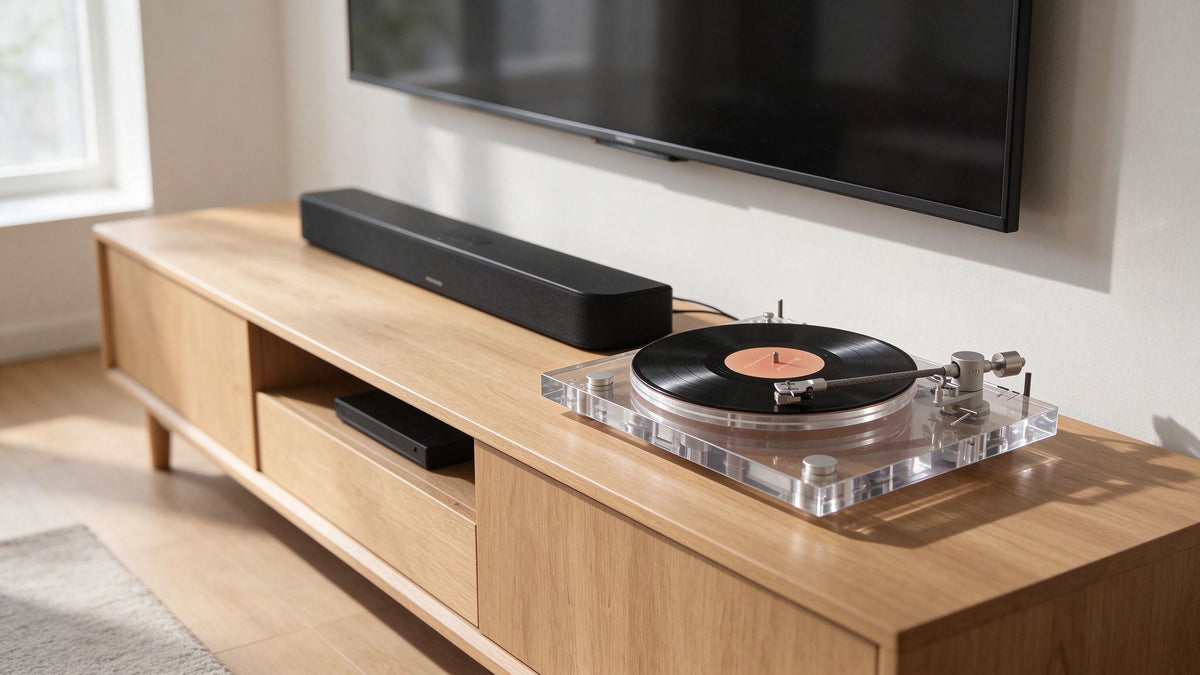
Its transparent acrylic construction, carbon fiber tonearm, and modern connectivity give it a distinctive place in a contemporary listening space.
Core supports Bluetooth audio output for compatible Bluetooth headphones and speakers. It also provides:
-
RCA output with selectable PHONO/LINE functionality
-
Optical SPDIF output for compatible digital audio equipment
-
USB connectivity for vinyl digitization
-
A built-in phono preamp
For wired headphone listening, connect Core's RCA LINE output to a compatible external headphone amplifier. Core does not include a dedicated 3.5mm headphone jack.
Its additional connections make it easier to integrate the turntable into a more varied audio system, whether you want wireless listening, external amplification, or digital recording.
Best for: Listeners who value flexible connectivity, transparent design, and the ability to build a more personalized audio system.

AUDURA One: A Complete System with a Dedicated Headphone Output
If you prefer a more integrated listening experience, AUDURA One takes a different approach.
It combines a belt-drive turntable with a dedicated pair of external stereo bookshelf speakers, giving you a complete home listening system.
Unlike Pure and Core, AUDURA One also includes a dedicated 3.5mm headphone output. You can connect compatible wired headphones directly to this jack without purchasing a separate external headphone amplifier.
One also supports Bluetooth audio input, allowing you to stream music from compatible smartphones, tablets, and other devices through its included stereo speakers.
There is an important distinction: Bluetooth input lets One receive audio from an external device. It is not the same as Bluetooth audio output, so you should not choose One if your main goal is to transmit vinyl playback directly to wireless Bluetooth headphones.
Best for: Listeners who want a complete vinyl system with included stereo speakers and a convenient wired headphone connection.
Comparing AUDURA Headphone Listening Options
| Feature | AUDURA Pure | AUDURA Core | AUDURA One |
|---|---|---|---|
| Bluetooth audio output for headphones | Yes | Yes | Not supported as a listed feature |
| Dedicated 3.5mm headphone output | No | No | Yes |
| RCA output | Yes | Yes | Yes |
| Built-in phono preamp | Yes | Yes | Yes |
| Optical SPDIF output | No | Yes | No |
| USB vinyl digitization | No | Yes | No |
| USB digital audio playback | No | Not listed | Yes |
| Included stereo speakers | No | No | Yes |
| Main focus | Simple wireless listening | Flexible connectivity | Complete stereo system |
Which AUDURA Turntable Should You Choose?
-
Choose AUDURA Pure if you want straightforward Bluetooth headphone listening and essential wired connectivity.
-
Choose AUDURA Core if you want Bluetooth headphone output alongside optical connectivity and USB vinyl digitization.
-
Choose AUDURA One if you want included stereo speakers and a dedicated 3.5mm output for wired headphones.
The right choice isn't about having the longest specification list. It's about matching the turntable's actual connections to the way you prefer to listen.
If wireless headphone listening is your priority, focus on Bluetooth audio output. If you prefer a direct wired connection, look for a dedicated headphone jack. And if you want more flexibility, an RCA output paired with an external headphone amplifier is another practical option.
10. How to Build a Simple Headphone Listening Setup at Home
A good headphone listening setup doesn't need to take over your room.
With a few carefully chosen components and a comfortable listening space, you can create a setup that fits naturally into your home.
Whether you prefer wired headphones or Bluetooth listening, the goal is the same: make it easy to enjoy your records without unnecessary equipment or complicated connections.

Start with a Stable Turntable Surface
Place your turntable on a stable, level surface that is isolated as much as practical from vibrations.
Avoid positioning it directly on furniture that shakes easily, near heavy foot traffic, or too close to speakers and other sources of vibration.
Even when you're listening through headphones, mechanical vibration can travel through the turntable and affect the stylus as it tracks the record.
A sturdy shelf, dedicated audio cabinet, or properly supported tabletop can provide a good starting point.
Choose a Comfortable Listening Position
Think about where you naturally enjoy listening to music.
It could be a comfortable armchair, a reading corner, or a small desk.
Keep your headphones, favorite records, and cleaning accessories within easy reach. If you use wired headphones, make sure the cable can reach your listening position without being stretched or creating a tripping hazard.
The goal is to make listening convenient enough that you enjoy using the setup regularly.
Keep the Audio System Simple
You don't need a large collection of audio equipment to enjoy vinyl through headphones.
The right setup depends on the outputs available on your turntable.
-
For Bluetooth headphones: Use a turntable with Bluetooth audio output and compatible wireless headphones.
-
For wired headphones with a built-in headphone output: Connect your headphones directly to the turntable's headphone jack.
-
For wired headphones with RCA output: Connect the turntable's LINE output to a compatible external headphone amplifier, then plug your headphones into the amplifier.
If your turntable only provides a PHONO-level signal, you'll also need a phono preamp before connecting it to a standard LINE-level headphone amplifier.
Some turntables already include a switchable phono preamp, making it easier to connect different types of audio equipment.
Avoid adding unnecessary components. A smaller, well-planned system can be more enjoyable than a complicated setup with equipment you rarely use.
Look After Your Records and Stylus
Headphones can make certain playback imperfections easier to notice, particularly when you're listening in a quiet room.
Dust, fingerprints, static, damaged records, and a dirty or worn stylus can all affect playback quality.
To keep your records and stylus in good condition:
-
Brush records gently with an appropriate carbon-fiber or record-cleaning brush before playback.
-
Store records vertically to help prevent warping.
-
Use clean inner sleeves to reduce dust and surface contamination.
-
Handle records by their edges and label area rather than touching the playing surface.
-
Clean the stylus carefully with a suitable stylus brush, following the manufacturer's recommended direction.
-
Replace the stylus when it reaches the end of its recommended service life or shows signs of wear.
For more detailed advice, read our guides on How to Clean Vinyl Records and How Long Do Turntable Styluses Last?.
Protect Your Hearing
Headphones deliver sound directly to your ears, so listening volume deserves attention.
Start at a comfortable, relatively low level and increase it only as needed. Avoid turning up the volume to overcome background noise.
If you regularly listen for extended periods, take breaks and give your ears time to rest.
If you notice ringing, muffled hearing, or discomfort after listening, lower the volume and reduce your listening time.
A good headphone setup should make listening more enjoyable, not encourage you to turn the volume up simply because you can.
Frequently Asked Questions
Can You Plug Headphones Directly into a Turntable?
Only if the turntable has a dedicated headphone output.
Most traditional turntables provide RCA outputs rather than headphone jacks. These outputs are designed to connect to other audio equipment, not to drive headphones directly.
If your turntable only has RCA outputs, you'll generally need a compatible external headphone amplifier. Make sure the turntable provides a LINE-level signal or that a suitable phono preamp is included in the signal chain.
Can You Use Bluetooth Headphones with a Record Player?
Yes, provided the record player supports Bluetooth audio output.
Bluetooth input and Bluetooth output are different functions. Bluetooth input allows a turntable or audio system to receive music from an external device, while Bluetooth output transmits audio from the turntable to wireless headphones or speakers.
For wireless headphone listening, your turntable must support Bluetooth audio transmission, or you need to connect a compatible external Bluetooth transmitter.
Do You Need a Headphone Amplifier for a Turntable?
Not always.
If your turntable has a built-in headphone output, you can usually connect compatible wired headphones directly.
If it only has RCA outputs, you'll typically need an external headphone amplifier to provide the power required to drive your headphones.
You may also need a phono preamp if your turntable only provides a PHONO-level signal. A phono preamp and a headphone amplifier perform different functions, although some audio equipment combines both.
Is Wired or Bluetooth Better for Listening to Vinyl?
Both options have advantages.
Wired headphones provide a direct physical audio connection and avoid Bluetooth transmission latency. They can also avoid the additional digital encoding and wireless transmission involved in Bluetooth playback.
Bluetooth headphones offer greater freedom of movement and a cleaner setup without headphone cables.
Neither option is automatically better for everyone. Your choice depends on your listening preferences, equipment compatibility, and whether you prioritize a wired connection or everyday convenience.
Does Bluetooth Ruin the Sound of Vinyl?
No. Bluetooth does not automatically ruin vinyl playback.
Bluetooth transmission typically involves converting the audio signal into a digital format and encoding it with a supported Bluetooth audio codec. Depending on the devices and codec, this process may involve lossy compression.
However, a compatible, well-designed Bluetooth system can still deliver an enjoyable listening experience. The final sound also depends on the turntable, Bluetooth transmitter, headphones, and their respective audio processing.
Can You Listen to Vinyl with Noise-Canceling Headphones?
Yes.
Active noise-canceling headphones can be used with a compatible wired headphone output or Bluetooth audio transmitter.
Noise cancellation helps reduce surrounding noise, making it easier to focus on music in busy or shared environments.
Keep in mind that active noise cancellation and other headphone processing can affect the way music sounds. They do not improve the original recording itself, but they may make listening more comfortable in noisy surroundings.
Can You Use Wireless Headphones with a Turntable That Only Has RCA Outputs?
Yes, but you'll need a compatible Bluetooth audio transmitter.
First, check whether your turntable's RCA output provides PHONO-level or LINE-level audio.
If it has a built-in phono preamp, select LINE output and connect it to a Bluetooth transmitter with a compatible analog input.
If it only provides PHONO-level output, you'll need a phono preamp before the transmitter, unless the transmitter or another component in your system includes a suitable phono stage.
Make sure the transmitter supports the required input level and can transmit audio to your Bluetooth headphones using a compatible Bluetooth audio format.
Can You Use Regular Headphones with a Vinyl Record Player?
Yes.
You don't need headphones specifically designed for vinyl.
Standard wired or Bluetooth headphones can work well as long as they are compatible with your turntable's headphone output, external headphone amplifier, or Bluetooth transmitter.
Choose headphones based on comfort, sound quality, and compatibility with your equipment rather than looking for a special vinyl-specific headphone label.
Final Thoughts: Make Vinyl Listening Your Own
Listening to vinyl with headphones is a simple way to enjoy your favorite records without needing a traditional speaker setup.
Whether you prefer the direct connection of wired headphones or the freedom of Bluetooth listening, the right setup comes down to your equipment, your space, and the way you enjoy music.
For wired listening, choose a turntable with a dedicated headphone output or connect an external headphone amplifier to a suitable LINE-level output.
For wireless listening, make sure your turntable supports Bluetooth audio output rather than Bluetooth input alone.
If you're choosing a new turntable, think about how you want to listen before making your decision. The right connections can make your everyday listening experience much simpler.
At AUDURA, we believe a vinyl setup should bring together thoughtful design, enjoyable sound, and effortless everyday use. It should feel at home in your space and make you want to put on another record.
Whether you're building your first vinyl setup or refining an existing one, the best system is the one that fits naturally into your life.
Put on a record. Find your favorite headphones. Take a moment and enjoy the music.
Explore more practical advice in our Turntable Setup & Care guides, or discover the AUDURA turntable collection to find a setup that fits your listening style.